Enterprise-Grade Migration,
Beautifully Simple
See how SP Toolkit transforms complex migrations into guided, validated workflows with AI-powered automation.
10-Step Guided Wizard
From strategy definition to execution results, every step validates and guides your migration.
Pre-flight Validation
Catch schema conflicts, missing lookups, and risky configurations before any data moves.
AI-Powered Mapping
Smart field suggestions and auto-matching reduce manual configuration by up to 80%.
Throttling Protection
Balanced throughput presets prevent 429 errors while maximizing migration speed.
Version History
Preserve document versions and list item history across tenants.
Data Transformation
Apply rules to normalize, transform, or filter data during migration.
Test Data Generator
Generate realistic sample data for development, testing, and demos.
Migration Profiles
Save and ship reusable migration configurations with your products.
Detailed Reporting
Comprehensive results with export options for auditing and compliance.
CSV Import
Import CSV data into any list with AI-assisted field mapping and validation preview.
10-Step Guided Migration
From initial strategy to final validation, every step is designed to prevent errors and ensure successful migrations.
Migration Workflow
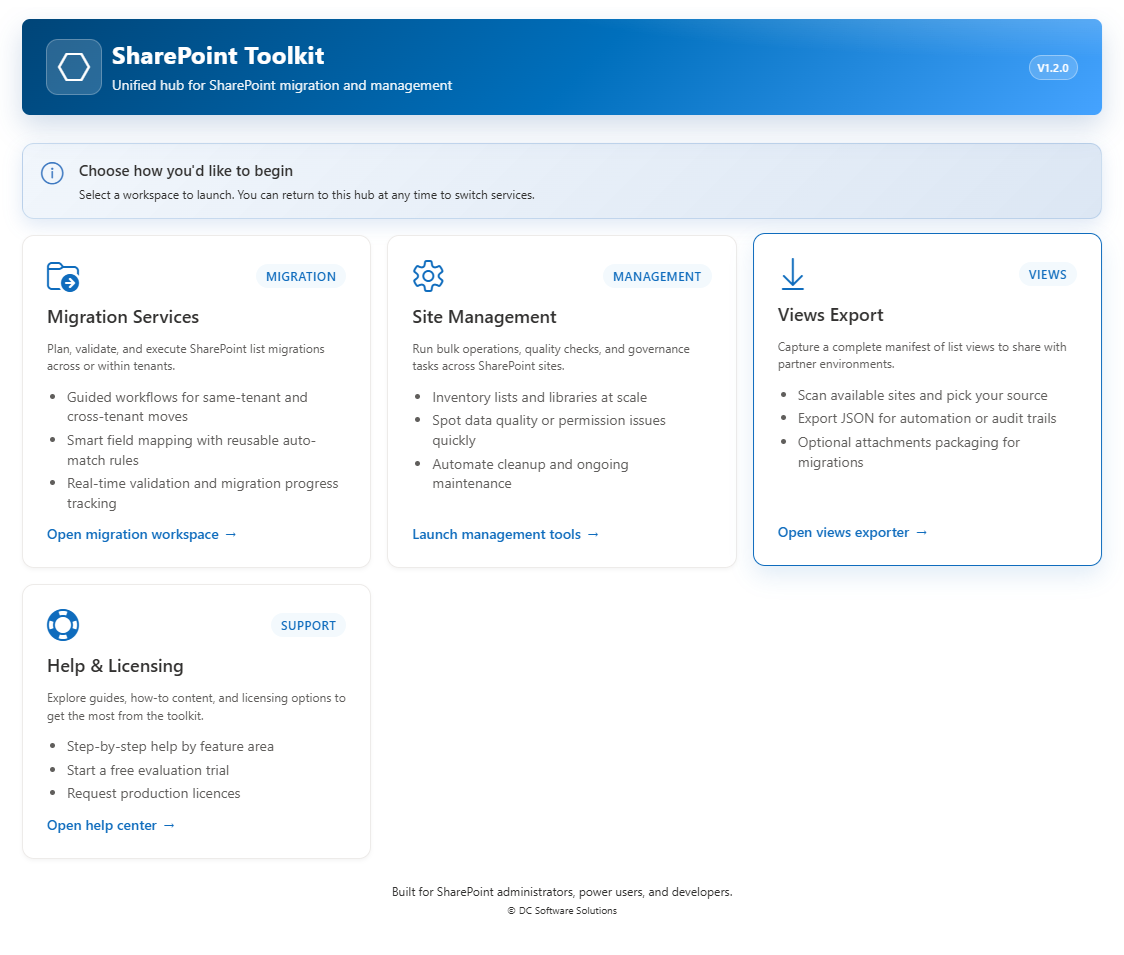
Service Hub
Choose your workspace: Migration, Site Management, Views Export, or Help & Licensing
Complete Toolkit for Daily Operations
Beyond migration: create lists, design blueprints, run bulk operations, sync data, and optimize your SharePoint environment.
Site Management Tools
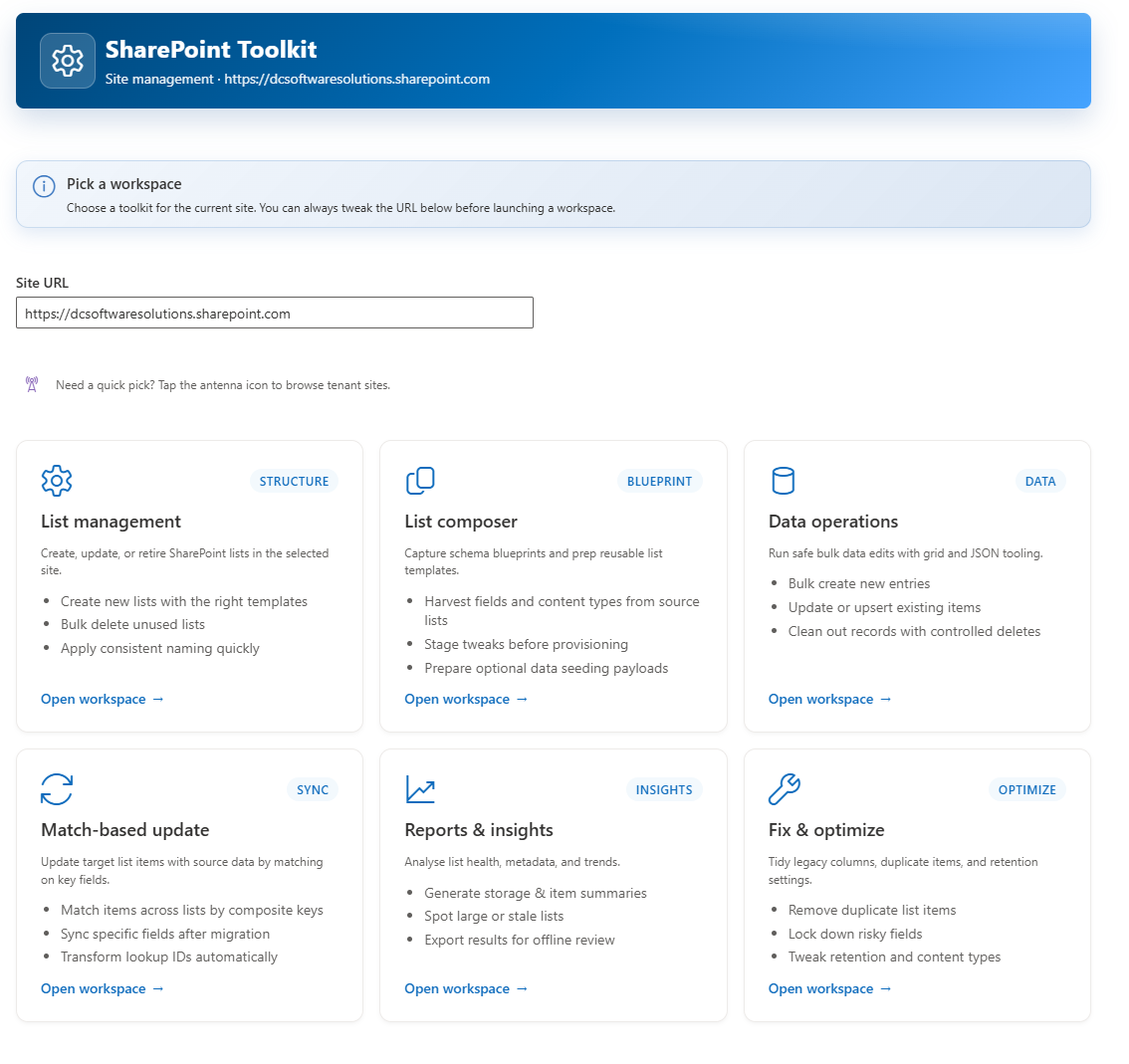
Site Management Hub
7 specialized workspaces for list operations, blueprints, data ops, export, sync, reports, and optimization
Built for Enterprise IT
Every feature designed with security, compliance, and scale in mind.
Mergers, Acquisitions & Divestitures
- Delegated Graph consent with scope validation
- User and lookup mapping across tenants
- Taxonomy and managed metadata preservation
- Document version history migration
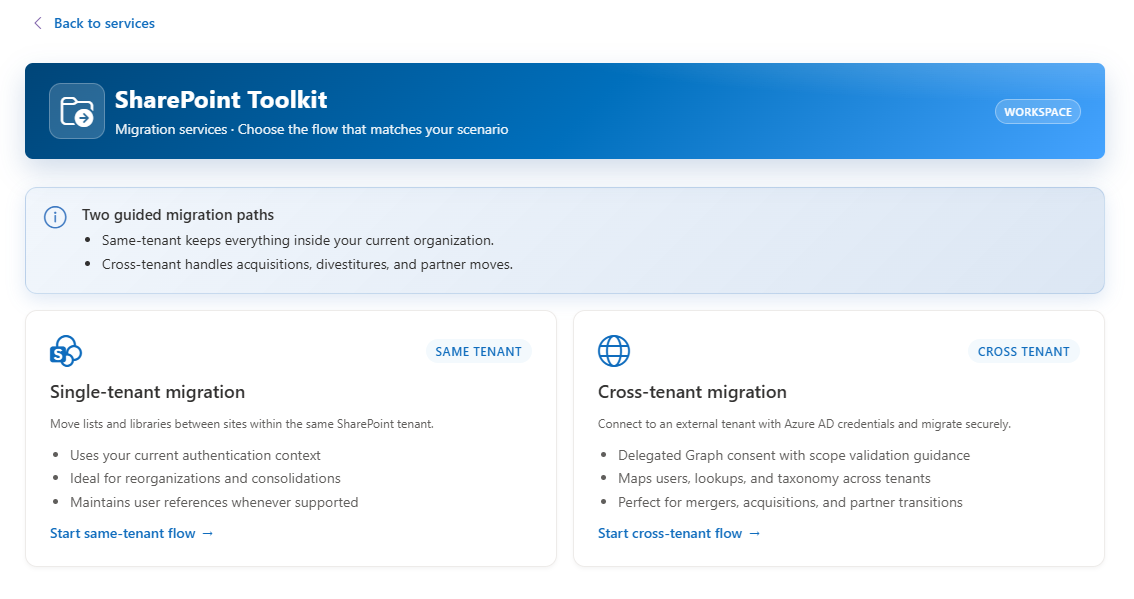
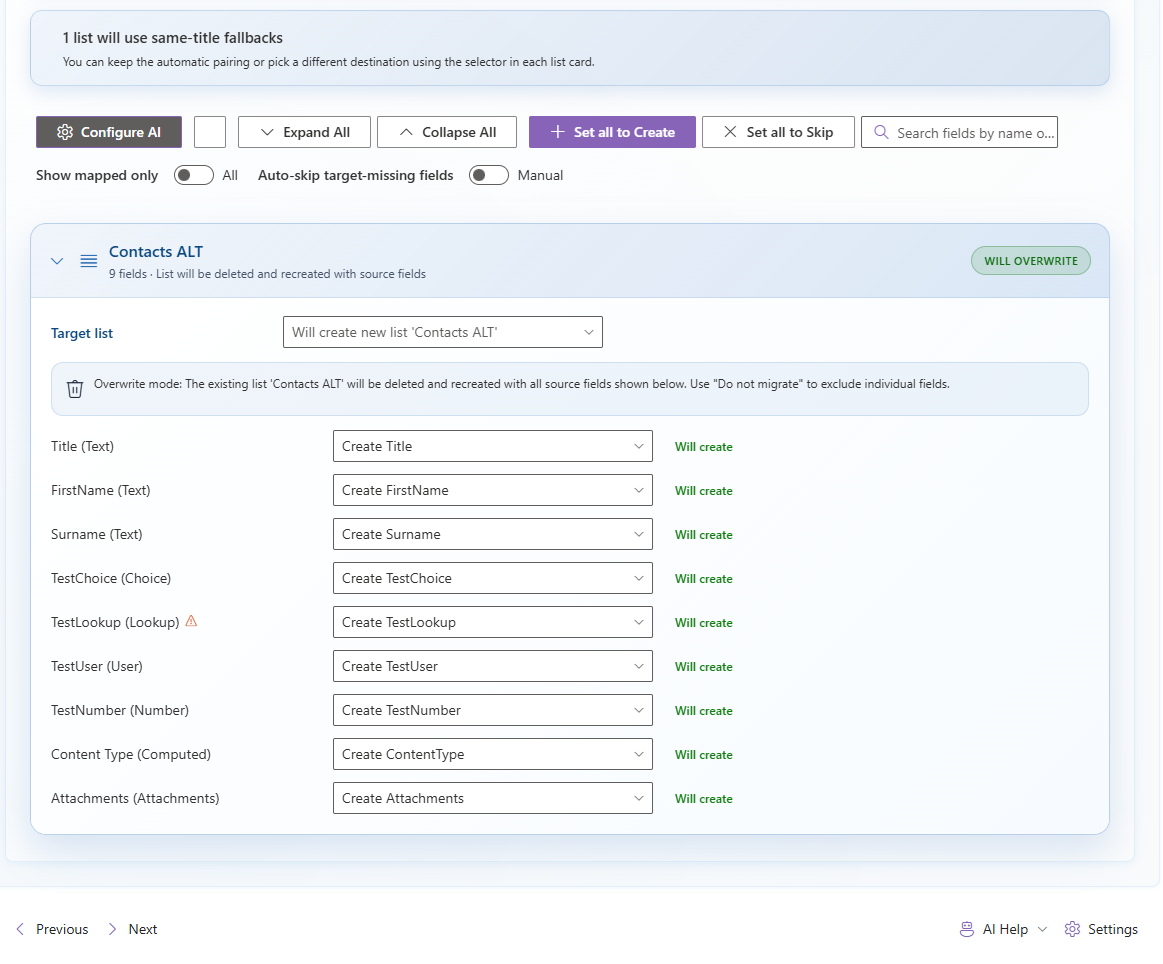
Intelligent Field Mapping
- Automatic field matching by name and type
- AI suggestions for ambiguous mappings
- Smart migration summaries with insights
- Configurable AI settings per migration
Powerful Test Data Generation
Generate realistic sample data for development and testing without manually creating items. Perfect for validating migrations, testing workflows, or populating demo environments.
- Smart field-type-aware data generation
- Configurable row counts, prefixes, and date ranges
- Sequential or randomized values for realistic datasets
- AI-assisted content generation for natural language fields
Test Data Generator
Built into Data Operations
Generate 100+ test items with realistic Choice, Date, Number, and Text values in seconds
Supports all 30+ SharePoint field types with appropriate sample data
Migration Profiles
Save, load, and share configurations
Package complete migration configurations including field mappings, data rules, and settings
Export as JSON files to ship with your own products or share with partners
Save & Ship Migration Profiles
Create migration profiles once and reuse them across projects. Perfect for ISVs, consultants, and IT teams who need consistent, repeatable migrations.
- Save complete migration configurations to JSON
- Include field mappings, data transformation rules, and options
- Ship profiles with your own products for customer deployments
- Load and apply saved profiles to new migrations instantly
Comprehensive Migration Reporting
Full visibility into every migration with detailed reports, real-time progress tracking, and exportable results for stakeholder communication and compliance.
- Real-time progress with per-item status tracking
- Detailed error logs with actionable remediation guidance
- Export results to CSV, Excel, or JSON for auditing
- AI-generated migration summaries highlighting key outcomes
- Site inventory and health reports for management visibility
Reports & Insights
Full migration visibility
Migration result summaries with success rates, error breakdowns, and timing metrics
Site inventory reports showing list counts, item volumes, and storage usage
Automation & Migration Templates
Skip manual configuration with pre-built templates, validate before you migrate, get notified when runs complete, and maintain a full audit trail — all built in.
6 Pre-Built Templates
CRM, Projects, Documents, Helpdesk, HR, Inventory
- Includes field mappings, data transform rules, and recommended options
- Browse by category with difficulty badges (beginner → advanced)
- Fully customisable after loading — tweak anything before you run
Template Fitness Report
Validate before you migrate
- Auto-checks profile expectations vs actual source environment
- Detects missing lists, absent fields, choice drift, and type mismatches
- One-click "Go to step" navigation to fix each finding
Webhook Notifications
Teams, Slack, Power Automate, or custom
- Automatic alerts when migrations succeed or fail
- Platform-native formatting (Teams MessageCard, Slack Block Kit)
- HMAC-SHA256 payload signing for endpoint security
Execution History
Full audit trail for every run
- Automatic tracking of status, duration, item counts, and errors
- Export to CSV or JSON for compliance and project documentation
- Up to 50 runs retained with expandable detail view
No other SharePoint migration tool offers built-in templates with fitness validation, webhook notifications, and execution history in a single package.
CSV Import — Complete the Round-Trip
Export your list data, edit it in Excel, and import the changes back — all without scripting or Power Automate flows. The 6-step wizard handles validation, field mapping, and batched execution.
6-Step Guided Wizard
Upload → Target → Map → Options → Preview → Execute
- Drag-and-drop with auto-detected encoding, delimiter, and headers
- AI-assisted column mapper with confidence scores
- Colour-coded preview: green (valid), amber (coerced), red (error)
Four Operation Modes
Insert, Update, Upsert, or Delete
- Match by ID, single field, or composite key
- Conflict handling: overwrite, skip blanks, or only changed values
- Smart round-trip detection pre-configures Update + ID key
Deep Validation
Every cell checked before writing
- Lookup resolution, person resolution, choice validation
- Date format auto-detection with multi-format support
- Free dry-run mode — full validation without writing data
Results & Reporting
Full visibility into every row outcome
- Success, failed, and skipped counts with error details
- Downloadable results CSV for audit trails
- Clear and start a new import without leaving the page
Export → Edit → Import. No scripting, no Power Automate, no Quick Edit limitations. CSV Import makes SP Toolkit a complete SharePoint data management tool.
Scheduled Migration Reliability
Schedule migrations to run at off-peak hours with confidence. v1.5.0 ensures field metadata is always available at execution time — even for deferred and queued runs.
Smart Field Re-Fetch
Before any data moves, SP Toolkit now verifies that complete field metadata is present for every source list — and re-fetches it automatically if missing.
Null-Safe Field Access
Defensive guards across all field metadata access points ensure no migration step crashes due to missing or undefined field arrays.
Validation Stability
Dependency analysis, merge-mode checks, and pre-flight validation all handle edge cases gracefully — no more crashes on incomplete list metadata.
Ready to See It in Action?
Start your 14-day free trial today or schedule a personalized demo with our migration experts.